
Descripción
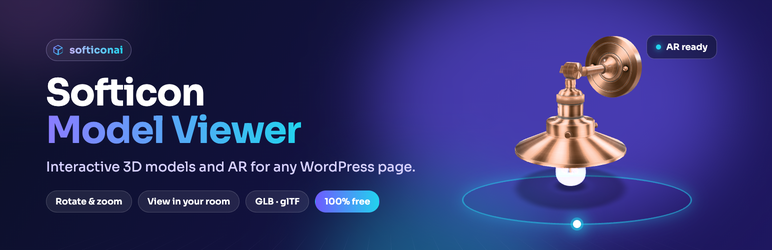
Let people see your product from every side, and then in their own room.
Softicon Model Viewer adds one block, 3D Model Viewer, to the WordPress editor. Drop in a GLB or glTF file and your visitors can:
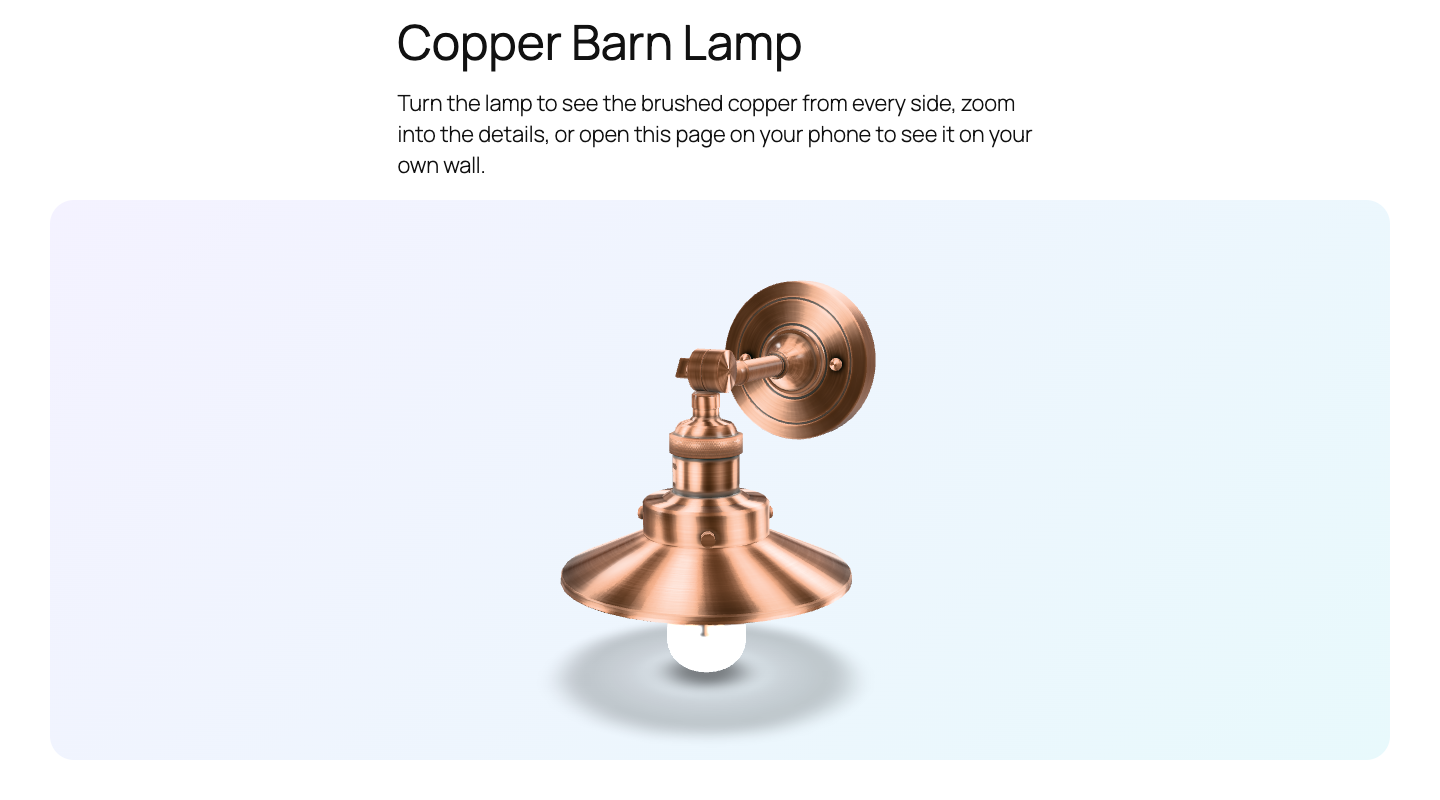
- Rotate the model and zoom into every detail.
- Watch it turn slowly on its own.
- Tap View in your room on a phone or tablet and place the model in their own space with augmented reality (Android Scene Viewer, iPhone and iPad Quick Look, and WebXR).
It is perfect for furniture, lighting, decor, fashion, art, products and anything people want to look at from every side.
Everything in one block
- Your model: upload a GLB or glTF file, pick one from the media library, or add one from a URL.
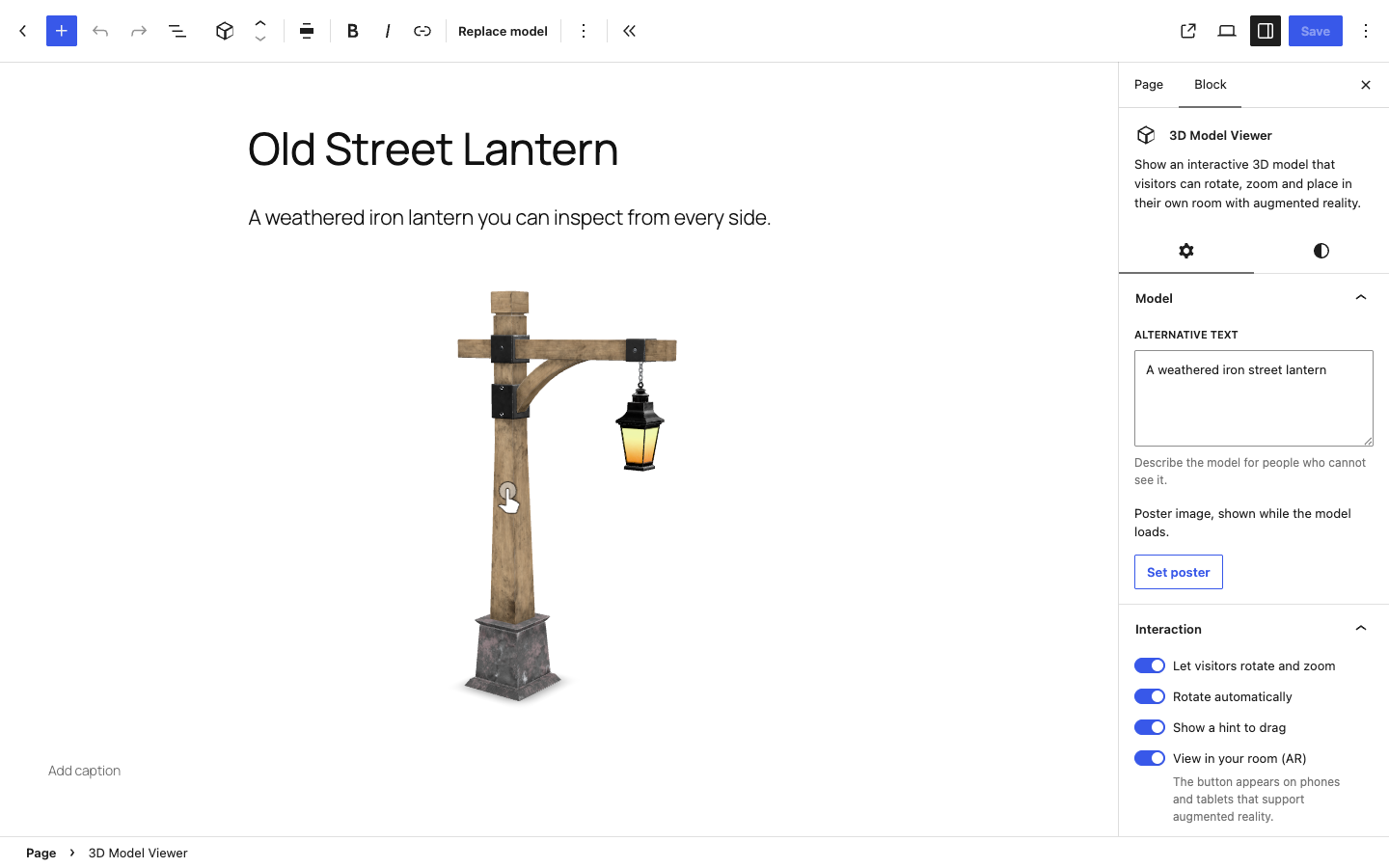
- Accessibility: alternative text, plus an optional poster image that shows while the model loads.
- Interaction: rotate and zoom, automatic rotation, and a small hint that invites visitors to drag.
- Augmented reality: turn the “View in your room” button on or off, and write your own button text.
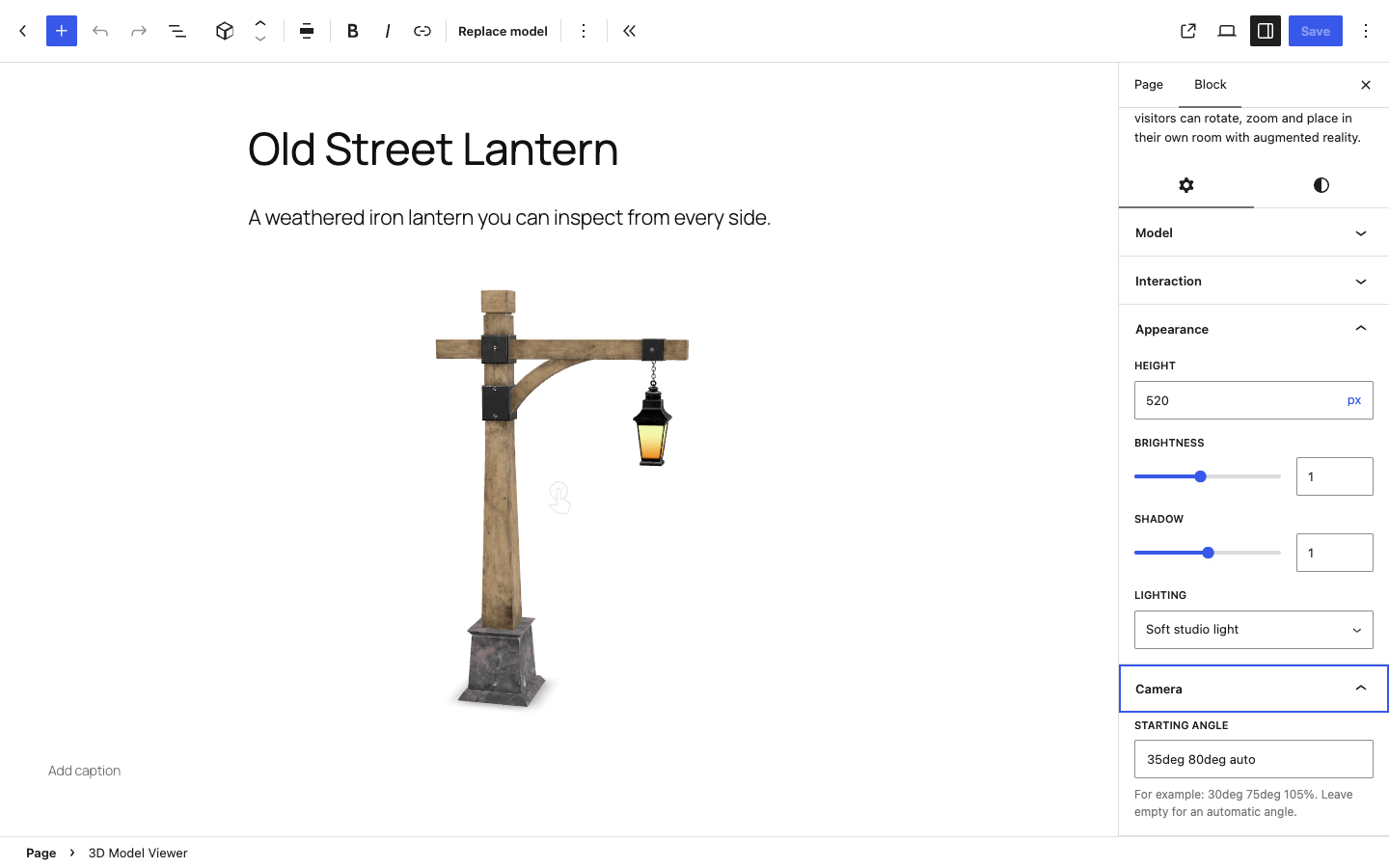
- Appearance: height, brightness, shadow strength, and two lighting styles (soft studio or classic).
- Camera: choose the starting angle, or let the viewer pick one for you.
- Design: caption, wide and full width, background colour or gradient, spacing and rounded borders.
Why you’ll like it
- One light block, nothing else. No settings page, no admin notices, no account and no external service.
- Everything is free. Augmented reality, posters, lighting and every other setting are included. There is no Pro version.
- Fast pages. The 3D viewer only loads on pages that use the block, and the model is lazy-loaded.
- Works with any theme, and with the block editor you already know.
- Readable code. The block’s own code has no build step, so it is easy to review and extend.
Video tutorial
See every step, from adding the block to publishing the page, in about 90 seconds:
Privacy
This plugin does not collect data, set cookies or contact any external service. Models are loaded from your own media library or from the URL you enter.
Support
Need help, found a bug, or have an idea for a new feature? We are happy to help.
- Email: softiconai@gmail.com
- Forum: open a topic in the support forum.
- Video tutorial: watch on YouTube
To help us answer faster, please include your WordPress version, your theme, and a link to the page (or the model file).
Third-party libraries
The block loads one bundled library, model-viewer by Google, from the plugin folder. Nothing is loaded from a CDN or another server.
- @google/model-viewer 4.4.0, Apache License 2.0. Source: https://github.com/google/model-viewer/tree/v4.4.0
- It includes three.js r183 (MIT, https://github.com/mrdoob/three.js), Lit (BSD-3-Clause, https://github.com/lit/lit) and @monogrid/gainmap-js (MIT, https://github.com/MONOGRID/gainmap-js).
The minified file vendor/model-viewer/model-viewer.min.js is the unmodified dist/model-viewer-umd.min.js from the npm package. The readable, non-minified build of the same version is included next to it as vendor/model-viewer/model-viewer.js, together with the Apache license and a list of all bundled projects in vendor/model-viewer/THIRD-PARTY-NOTICES.txt.
Models in the screenshots and videos
The screenshots, banner and videos use sample models from the Khronos glTF Sample Assets (https://github.com/KhronosGroup/glTF-Sample-Assets): Anisotropy Barn Lamp by Eric Chadwick, © 2023 Wayfair LLC (CC BY 4.0), Diffuse Transmission Plant by Eric Chadwick (CC BY 4.0) and Rico Cilliers (CC0), and Lantern (CC0). They are not included in the plugin.
Source code of this plugin
The block’s own code is plain, readable JavaScript and PHP with no build step: block/index.js (editor), block/render.php (front end), block/block.json (block settings) and the CSS files are the source files themselves.
Capturas
Bloques
Este plugin proporciona 1 bloque.
- 3D Model Viewer Show an interactive 3D model that visitors can rotate, zoom and place in their own room with augmented reality.
Instalación
- In your WordPress dashboard, go to Plugins Add New Plugin and search for Softicon Model Viewer.
- Click Install Now, then Activate.
- Edit any page or post, click the + button, and add the 3D Model Viewer block.
- Upload a GLB or glTF file, or choose one from the media library, and publish.
You can also upload the plugin folder to /wp-content/plugins/ and activate it on the Plugins screen.
How to use
- Add the 3D Model Viewer block to a page or post.
- Click Upload, Media Library or Insert from URL and choose your model.
- In the block settings on the right, add alternative text and, if you like, a poster image.
- Under Interaction, choose rotate and zoom, automatic rotation, the drag hint, and the AR button.
- Under Appearance, set the height, brightness, shadow and lighting style.
- Under Camera, type a starting angle such as
35deg 78deg auto, or leave it empty. - Open the Styles tab to add a background, spacing and rounded corners.
- Publish. Visitors can now rotate and zoom the model, and open it in AR on their phone.
Preguntas frecuentes
-
Is there a video tutorial?
-
Yes. The step-by-step tutorial shows the whole process in about 90 seconds.
-
Which file types can I use?
-
GLB (recommended, a single file) and glTF. To place models in a room on iPhone and iPad, the viewer converts the GLB automatically.
-
Why does the plugin allow GLB and glTF uploads?
-
WordPress does not allow these file types by default, so the plugin adds them to the list of allowed uploads for users who can already upload files. This is the only server-side change it makes.
-
Augmented reality needs a phone or tablet with a camera and AR support. On other devices the button stays hidden, and visitors can still rotate and zoom the model.
-
How large should my model be?
-
Keep files small for fast pages, ideally under 5 MB. Compress textures before you export the model.
-
Does it work with my theme?
-
Yes. The block works with any theme. It also supports wide and full alignment, so it can stretch across the page in themes that allow it.
-
Is it really free?
-
Yes. Every feature, including augmented reality, is free. There is no Pro version and no account to create.
-
How do I get support?
-
Send an email to softiconai@gmail.com and we will get back to you as soon as we can. You can also post in the support forum. Please tell us your WordPress version, your theme and, if possible, share a link to the page or the model file.
Reseñas
No hay reseñas para este plugin.
Colaboradores y desarrolladores
Este software es de código abierto. Las siguientes personas han contribuido a este plugin.
Colaboradores
Traduce “Softicon Model Viewer – Interactive 3D & AR Product Viewer” a tu idioma.
¿Interesado en el desarrollo?
Revisa el código, echa un vistazo al repositorio SVN o suscríbete al registro de desarrollo por RSS.
Registro de cambios
1.0.2
- New: a “Watch the video tutorial” link in the empty block, so you can learn it in about 90 seconds.
- New: “Video tutorial” and “Email support” links under the plugin on the Plugins screen.
- Improved: a clearer plugin page with videos, installation steps, a how-to guide and more answers in the FAQ.
1.0.1
- Renamed the plugin to Softicon Model Viewer (slug: softicon-model-viewer).
1.0.0
- Initial release.