
Descripción
Ethwebs Media Cleanup keeps your WordPress Media Library tidy automatically. When you permanently delete a post, the plugin scans for its featured image and embedded images, verifies they are not used anywhere else on your site, and safely removes them along with all generated thumbnail sizes.
Key Features
- Automatic deletion of featured images and content images upon post purge.
- Safeguards shared images (will not delete if used in another post or page).
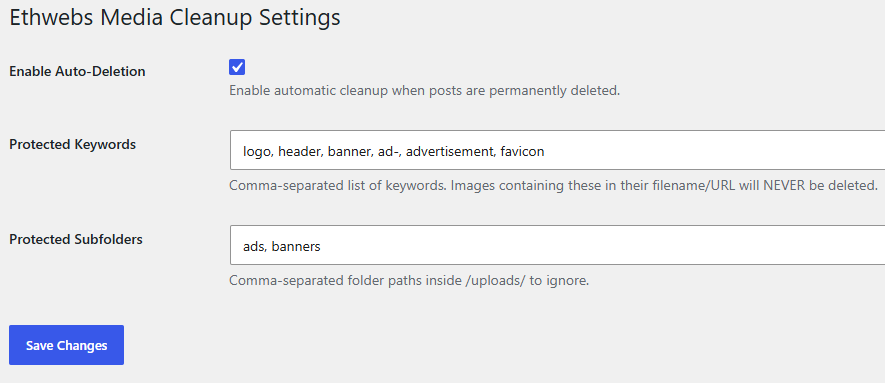
- Keyword & Subfolder protection to protect logos, site assets, and advertisements.
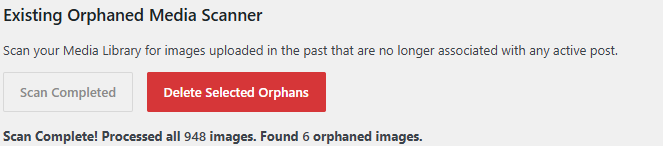
- Built-in Existing Orphaned Media Scanner with AJAX batching to handle 30,000+ images without server timeouts.
- Chunked batch deletion system with real-time statistics counter and Cancel Deletion support.
- Pause and Resume controls for long-running media library scans.
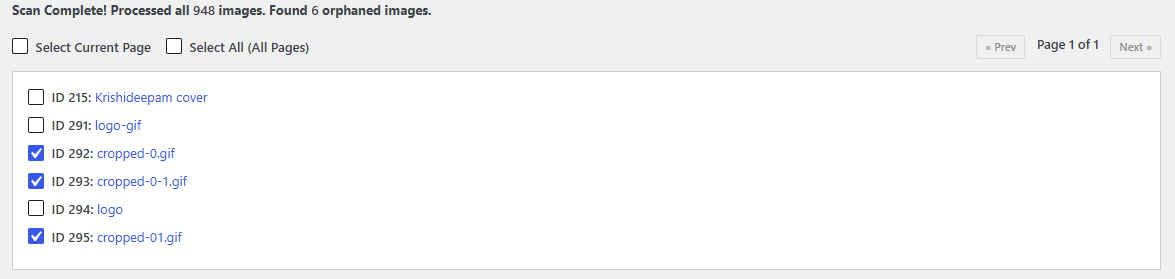
- Client-side UI pagination (25 items per page) to ensure smooth browser rendering on massive media libraries.
- Flexible selection controls: choose “Select Current Page” for page-by-page cleanup or “Select All (All Pages)” for bulk purging.
- Interactive checkboxes for safe manual approval before deletion.
- Completely lightweight with zero external dependencies.
Capturas
Instalación
- Upload the
ethwebs-media-cleanupfolder to the/wp-content/plugins/directory. - Activate the plugin through the ‘Plugins’ menu in WordPress.
- Go to ‘Settings’ -> ‘Media Cleanup’ to configure protected keywords or run an orphan scan.
Preguntas frecuentes
-
Does this delete images when I move a post to Trash?
-
No. Deletion only occurs when you permanently delete a post by clicking “Delete Permanently” or “Empty Trash”.
-
No. You can define custom protected keywords (e.g., ad-, logo, banner, header) or protected subfolders under the settings page to prevent specific media from ever being deleted.
-
Should I protect media using image titles or actual filenames?
-
Always use the actual image filename (or file path URL) rather than the attachment title! Protection rules check the physical file name on your server (e.g.,
company-logo.jpgorad-sidebar.png). If you addlogoorad-to your protected keywords list, any file containing those terms in its filename or URL path will be automatically skipped and preserved. -
How does the scanner handle sites with tens of thousands of images?
-
The scanner uses a chunked AJAX batch processor (50 images per request) on the server, paired with DOM pagination (25 items per view) on the frontend. This prevents both server timeouts and browser freezing.
Reseñas
No hay reseñas para este plugin.
Colaboradores y desarrolladores
Este software es de código abierto. Las siguientes personas han contribuido a este plugin.
Colaboradores
Traduce “Ethwebs Media Cleanup” a tu idioma.
¿Interesado en el desarrollo?
Revisa el código, echa un vistazo al repositorio SVN o suscríbete al registro de desarrollo por RSS.
Registro de cambios
1.2.9
- Updated all prefixes from emc_ to ethwmc_ (6 characters) to meet WordPress.org minimum 4-character prefix requirement.
1.2.8
- Renamed plugin to Ethwebs Media Cleanup using established brand identifier.
- Separated inline JavaScript to an enqueued admin.js file.