

Descripción
Internal links are one of the easiest ways to improve your SEO and reduce bounce rate. But manually writing contextual sentences around each link is tedious — and just dropping a link on a keyword looks unnatural.
Purrlink solves this. It uses AI to generate a “bridge sentence” that naturally introduces your internal link, so it reads like part of your content — not an afterthought.
Before:
“Taking care of [cats] requires attention…”
After:
“Taking care of cats requires attention. If you’re just starting out, check out our [Beginner’s Guide to Cat Care] for helpful tips.”
Why Purrlink?
- Better for SEO — Contextual internal links help search engines understand your site structure and pass link equity between pages
- Better for readers — Bridge sentences guide visitors to related content naturally, increasing pageviews and time on site
- Saves time — What takes minutes to write manually, Purrlink generates in seconds
Who is it for?
- Bloggers who want to interlink posts without breaking the reading flow
- Content teams managing large sites with hundreds of articles
- SEO professionals building topical authority through internal linking
Features
- Generate natural bridge sentences with AI (Google Gemini)
- Smart related posts — automatically suggests relevant articles based on your content
- Search across all your posts to find the right link target
- 18 languages supported — English, Spanish, French, German, Japanese, Korean, Chinese, Thai, and more
- Auto-detect language for multilingual sites
- Customize tone, brand voice, and signature phrases to match your writing style
- Choose link behavior — same tab or new tab (with automatic
rel="noopener noreferrer") - Edit and refine the generated sentence before inserting
- Insert as a new paragraph or append to existing content
- Works directly in the Gutenberg block editor sidebar
How It Works
- Open a post in the Gutenberg editor
- Select the text where you want to add an internal link
- Open the Purrlink sidebar (cat paw icon in the toolbar)
- Pick a related article or search for one
- Click “Generate” — AI creates a bridge sentence with the link embedded
- Edit if needed, then click “Insert”
Requirements
- WordPress 6.0+
- PHP 8.0+
- Google Gemini API key (free tier available)
External Services
This plugin connects to the Google Gemini API to generate bridge sentences using AI.
When you click “Generate” in the Purrlink sidebar, the following data is sent to Google’s servers:
- The text you selected in the editor (source context)
- The title and excerpt of the target post you chose to link to
- Your website profile settings (website name, niche, target audience, brand voice)
- Your persona settings (tone, writing style, language notes)
No data is sent automatically — it only happens when you explicitly click “Generate” or “Regenerate”.
- Service provider: Google (Gemini API)
- API endpoint:
https://generativelanguage.googleapis.com/v1beta/ - Terms of Service: Google API Terms of Service
- Privacy Policy: Google Privacy Policy
You must provide your own Google Gemini API key to use this plugin. Your API key is encrypted before being stored in the WordPress database.
Capturas
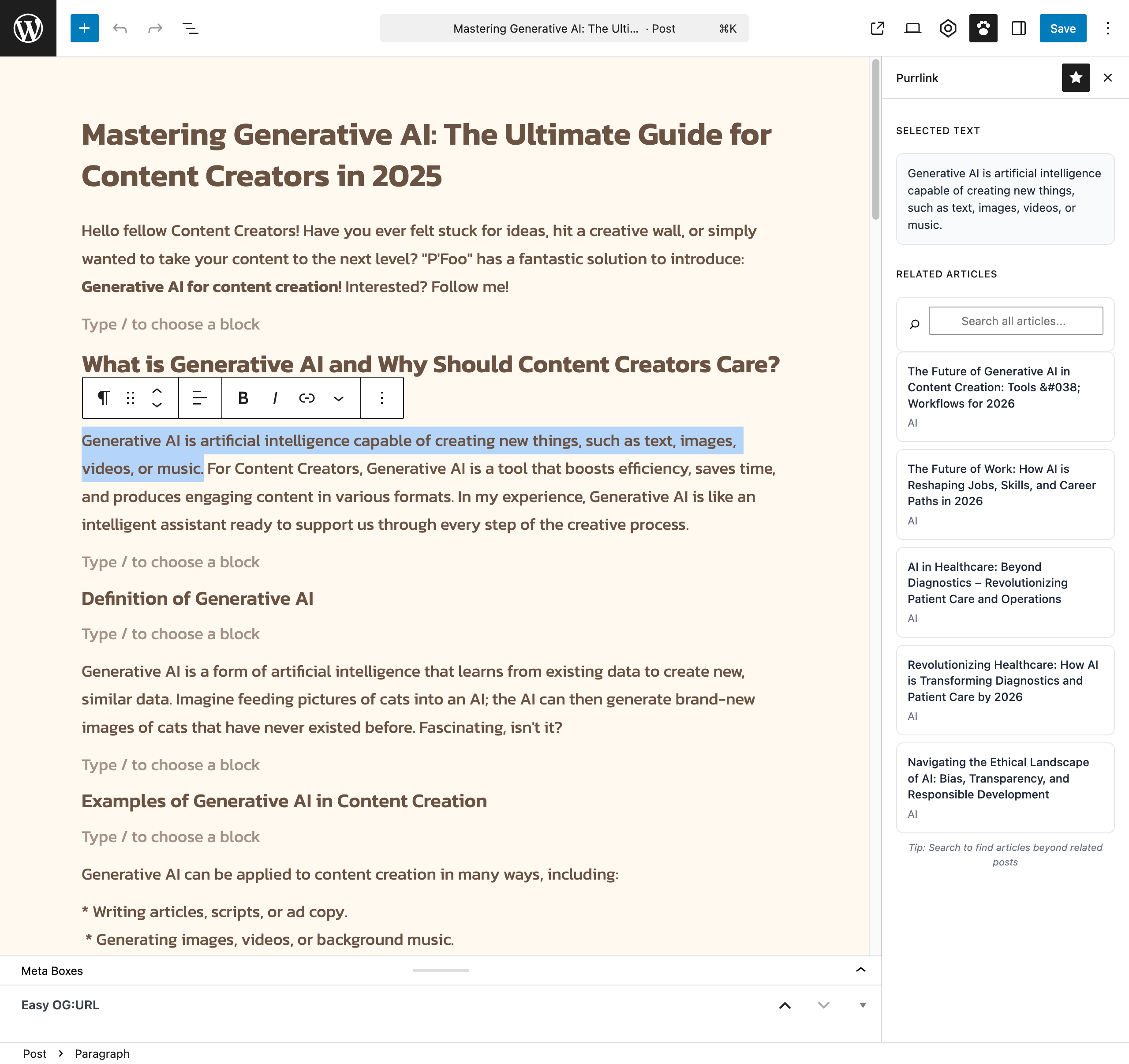
Purrlink sidebar with related posts in the Gutenberg editor 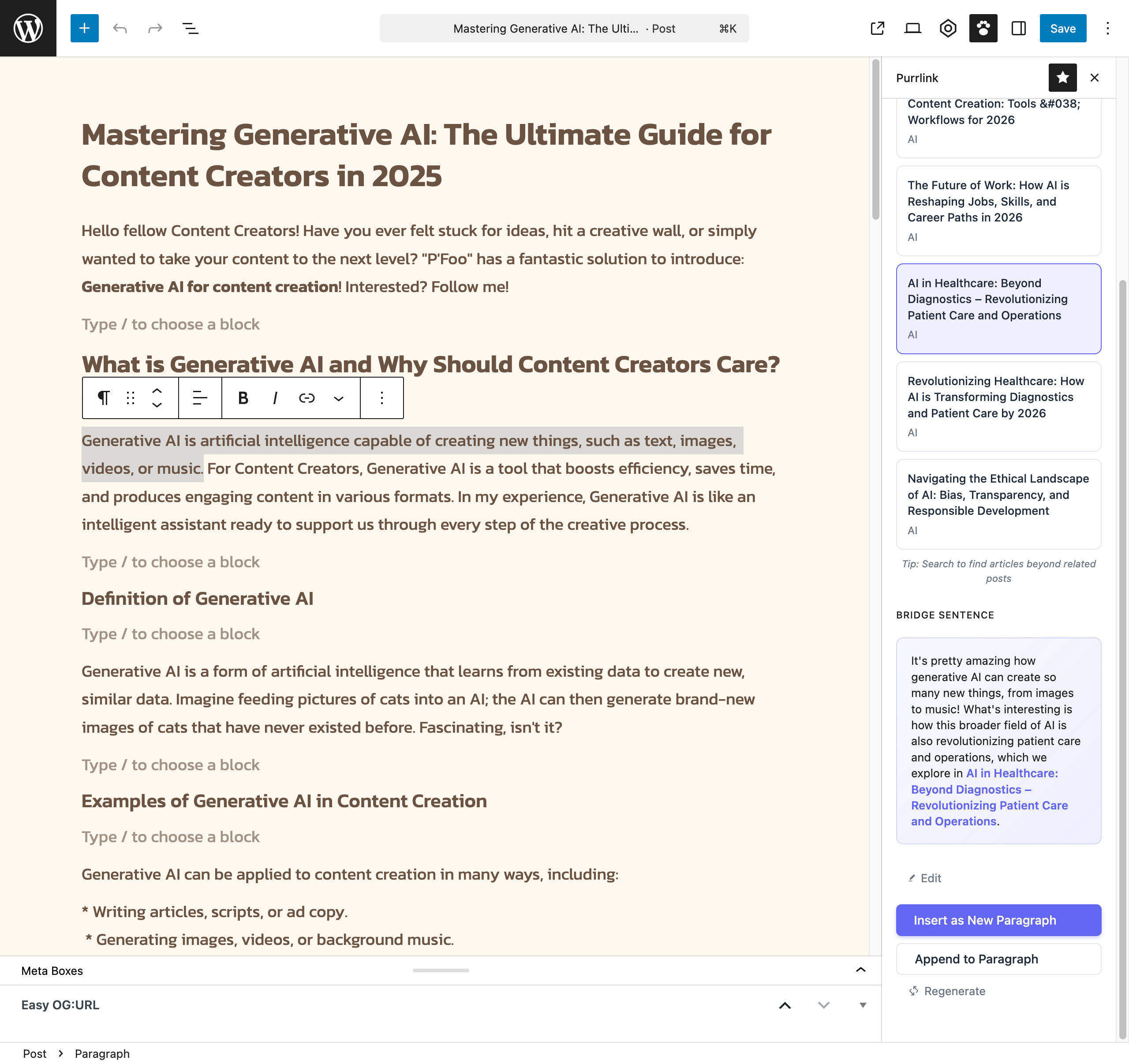
Generated bridge sentence with insert options 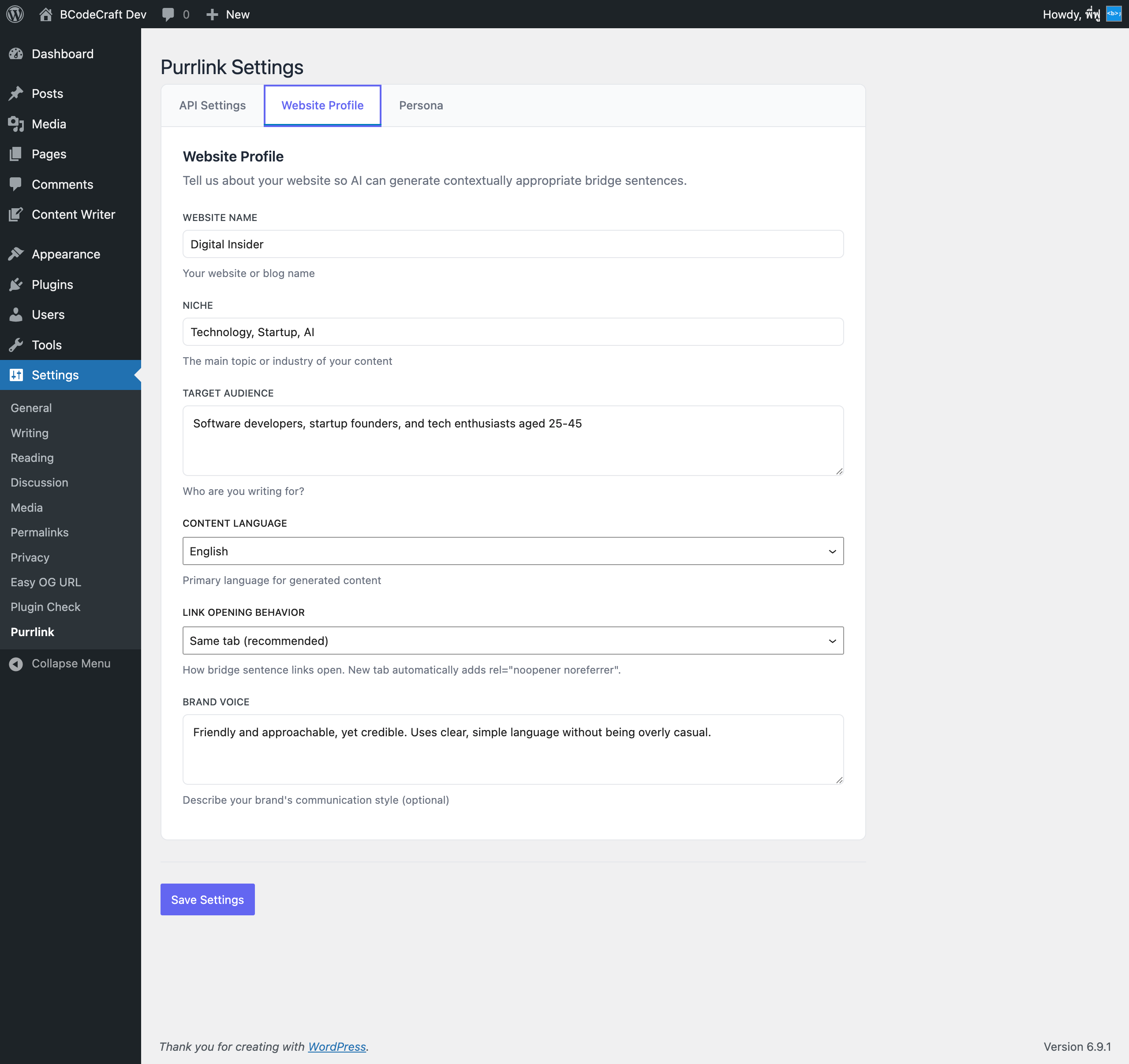
Settings page – Website Profile with language and link behavior 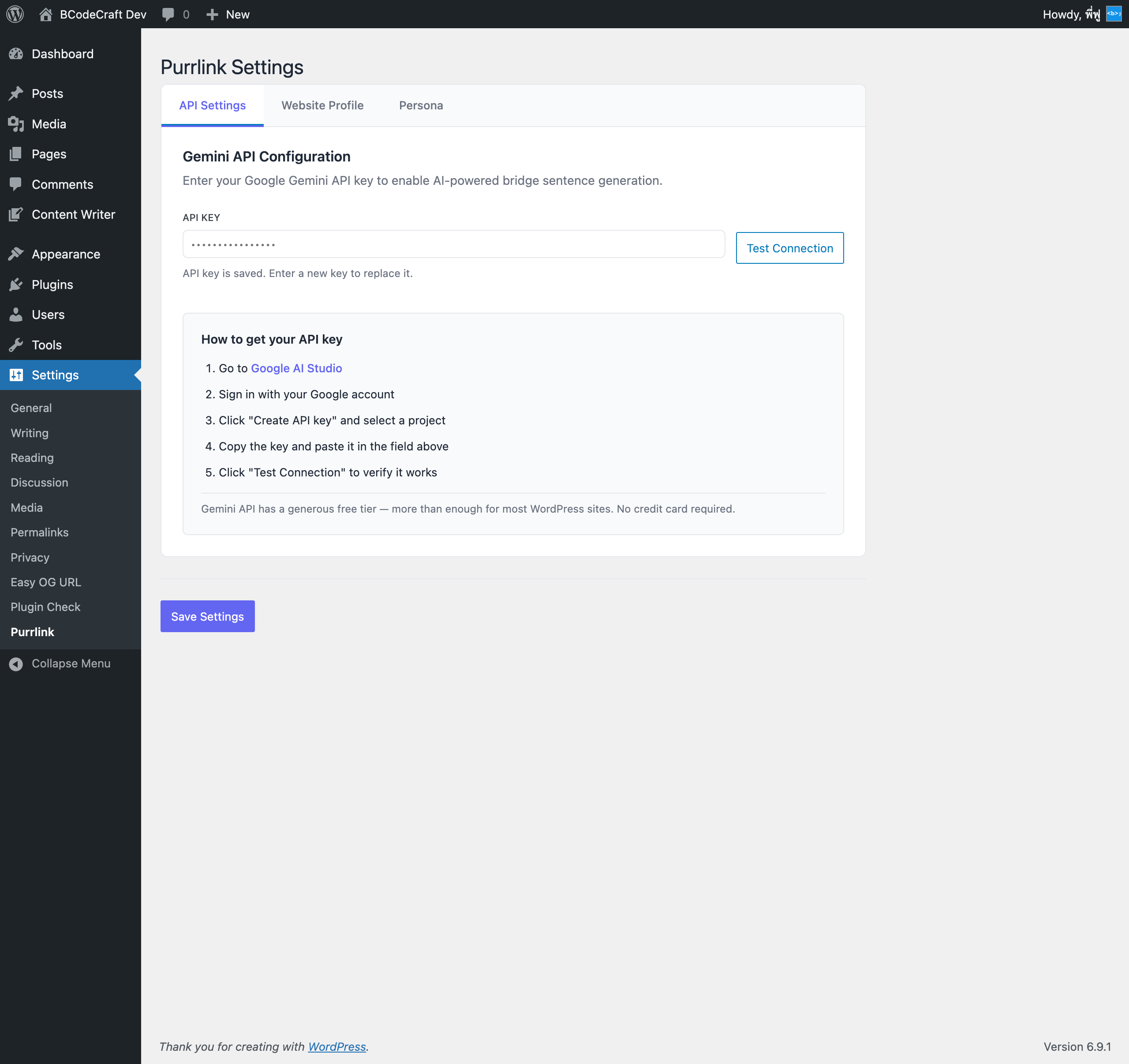
Settings page – API configuration with setup guide 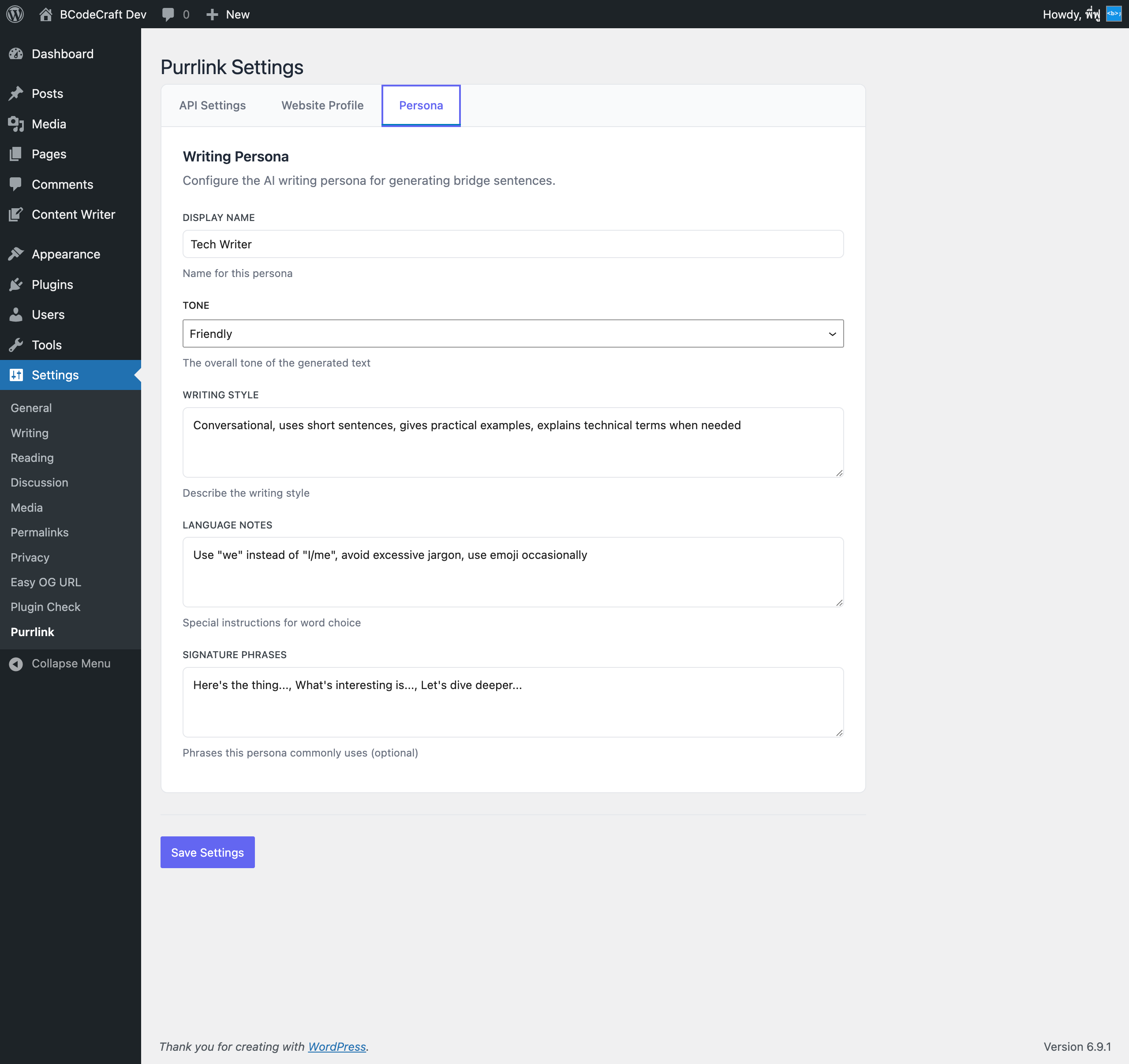
Settings page – Persona configuration
Instalación
- Upload the plugin files to
/wp-content/plugins/purrlink/directory, or install through the WordPress plugins screen. - Activate the plugin through the ‘Plugins’ screen in WordPress.
- Go to Settings > Purrlink to configure your Google Gemini API key.
- Set up your website profile and persona for better AI-generated content.
Preguntas frecuentes
-
Does Purrlink help with SEO?
-
Yes. Internal links are a key on-page SEO factor. They help search engines discover and index your pages, distribute link equity across your site, and establish topical relevance. Purrlink makes it easy to add contextual internal links that both search engines and readers appreciate.
-
How do I get a Google Gemini API key?
-
- Go to Google AI Studio
- Sign in with your Google account
- Click “Get API key” and create a new key
- Copy the key and paste it in Settings > Purrlink
The free tier includes generous usage limits for most blogs and small sites.
-
How much does the Google Gemini API cost?
-
Google offers a free tier for the Gemini API that is sufficient for most blogs. Each bridge sentence generation uses one API call. You can check current pricing at Google AI Studio.
-
What AI service does Purrlink use?
-
Purrlink uses Google Gemini 2.5 Flash for generating bridge sentences. It is fast, cost-effective, and produces high-quality contextual sentences.
-
Is my API key stored securely?
-
Yes. API keys are encrypted using AES-256-CBC before being stored in the WordPress database. The key is never exposed in the admin UI after saving.
-
Can I customize the writing style?
-
Yes. In Settings > Purrlink, you can configure your website profile (niche, target audience, brand voice) and persona settings (tone, writing style, signature phrases). The AI uses these settings to generate sentences that match your content style.
-
What languages are supported?
-
Purrlink supports 18 languages: English, Thai, Spanish, Portuguese, French, German, Italian, Dutch, Russian, Japanese, Korean, Chinese (Simplified & Traditional), Arabic, Hindi, Indonesian, Vietnamese, and Turkish. You can also use “Auto-detect” to let the AI match your content language automatically.
-
Does it work with custom post types?
-
Purrlink works with posts and pages by default. Related post suggestions and search results pull from your published content in the WordPress editor.
-
Can I control how links open?
-
Yes. In Settings > Purrlink > Website Profile, you can choose whether links open in the same tab or a new tab. When set to new tab, Purrlink automatically adds
rel="noopener noreferrer"for security. -
Can I edit the generated sentence before inserting?
-
Yes. After generating a bridge sentence, you can freely edit the text before inserting it into your post. You can also regenerate if you want a different version.
Reseñas
No hay reseñas para este plugin.
Colaboradores y desarrolladores
Este software es de código abierto. Las siguientes personas han contribuido a este plugin.
Colaboradores
Traduce “Purrlink – AI Internal Linking” a tu idioma.
¿Interesado en el desarrollo?
Revisa el código, echa un vistazo al repositorio SVN o suscríbete al registro de desarrollo por RSS.
Registro de cambios
1.1.0
- Expanded language support to 18 languages with native language names in dropdown
- Added auto-detect language option for multilingual sites
- Added link opening behavior setting (same tab / new tab with automatic noopener noreferrer)
- Added brand voice and signature phrases to AI prompt for more personalized output
- Improved AI prompt structure using Gemini systemInstruction for better results
- Improved multilingual keyword extraction with Unicode-aware processing
- Added step-by-step API key setup guide on settings page
- Added extensibility hooks for developers (purrlink_allowed_languages, purrlink_stop_words)
1.0.0
- Initial release
- AI-powered bridge sentence generation
- Related posts with relevance scoring
- Post search functionality
- Configurable persona and website profile
- Gutenberg sidebar integration