

Descripción
MaskMyAdmin is a lightweight WordPress plugin designed to enhance your login page security by:
– Replacing the default wp-admin and wp-login.php URLs with a custom login path of your choice
– Enforcing IP-based access controls for the WordPress dashboard and login screen
– Preventing unauthorized access or brute-force attempts by obscuring default login endpoints
Designed for site owners and developers who want to hide their admin panel from bots, attackers, or curious users.
Whether you’re running a blog, WooCommerce store, or enterprise WordPress install — MaskMyAdmin gives you a simple, intuitive way to lock down your admin entry points.
Features:
* Change wp-admin login path to a custom one (e.g., /secure-login)
* Optional IP-based whitelist — restrict dashboard access to specific IPs only
* Redirect blocked attempts to a custom page or homepage
* Progressive brute-force lockout (15 min 1 hour 24 hours)
* Activity log for login attempts and settings changes
* Email notifications for blocked IPs, failed logins, and settings changes
* Configurable proxy/CDN header for accurate IP detection (Cloudflare, Nginx, etc.)
* WP-CLI commands for emergency recovery and management
* Emergency disable via wp-config.php constant
* Defense-in-depth .htaccess rules for Apache servers (PHP handles all server types)
* Lightweight and fast — minimal performance impact
* Clean uninstall — all data removed when plugin is deleted
Capturas
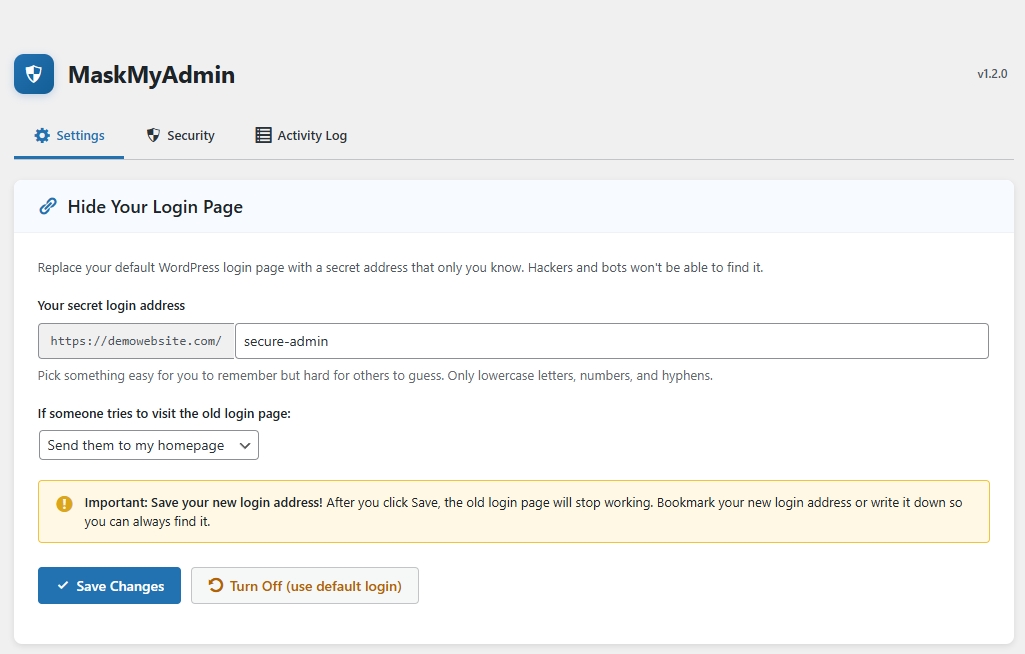
Settings screen to configure your custom login URL and redirection 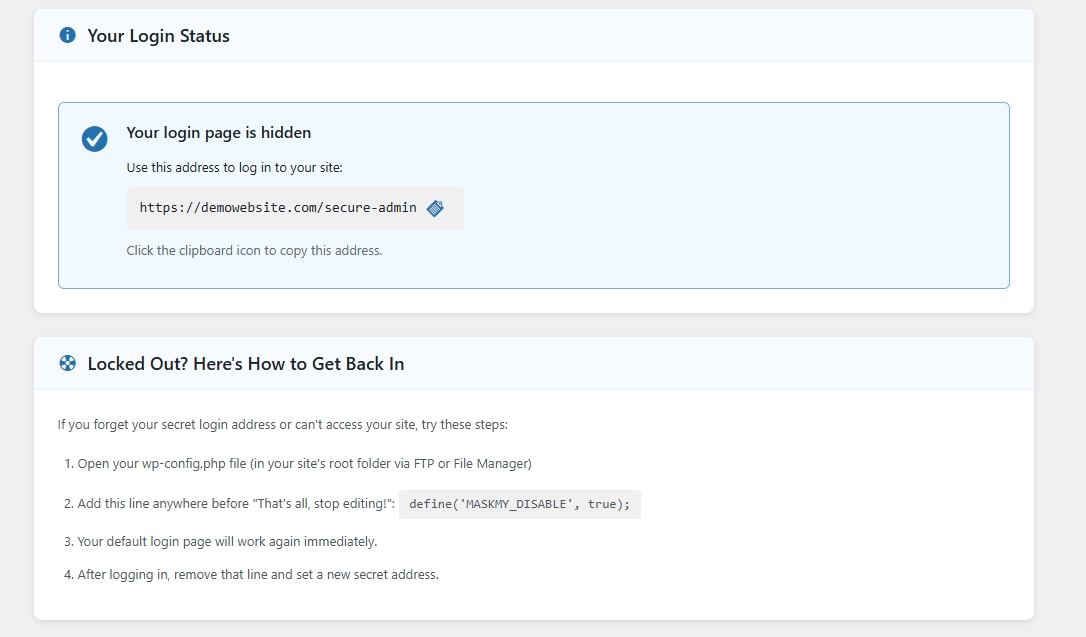
IP whitelist management with proxy/CDN configuration 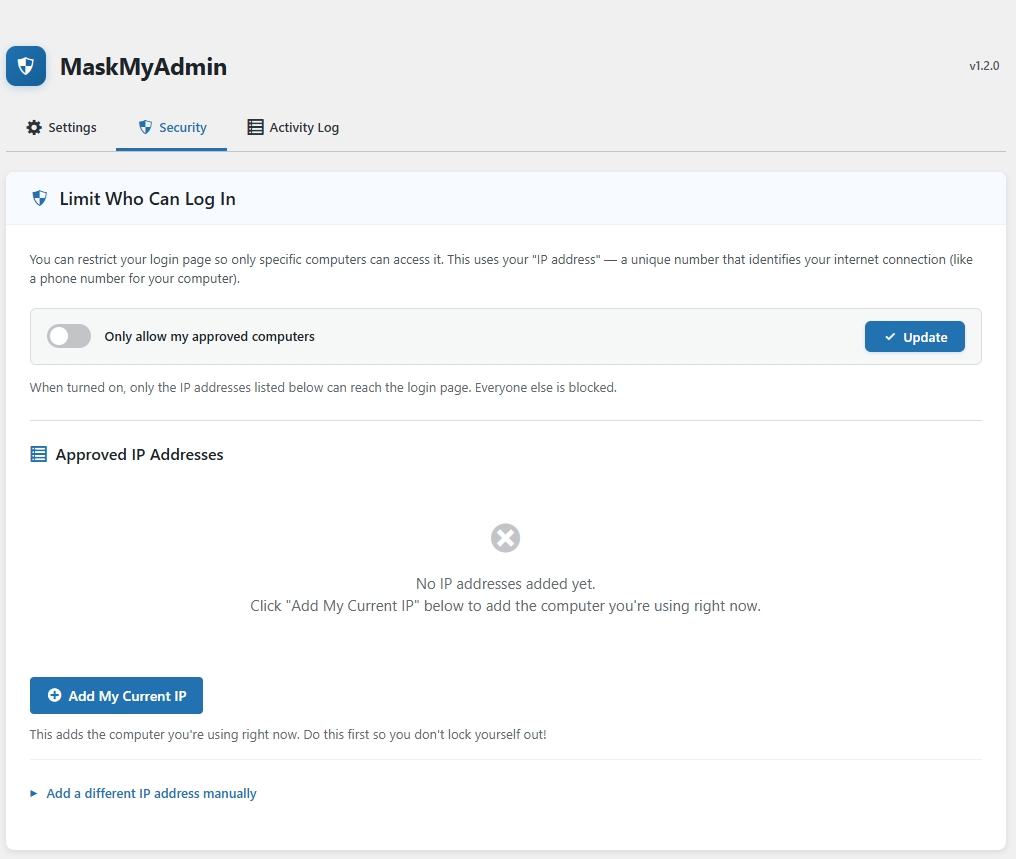
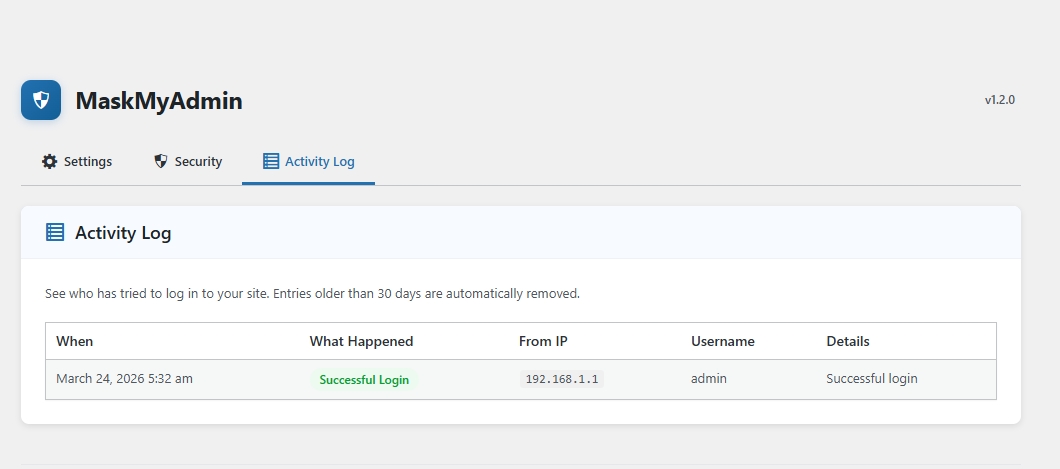
Activity log showing login attempts and settings changes 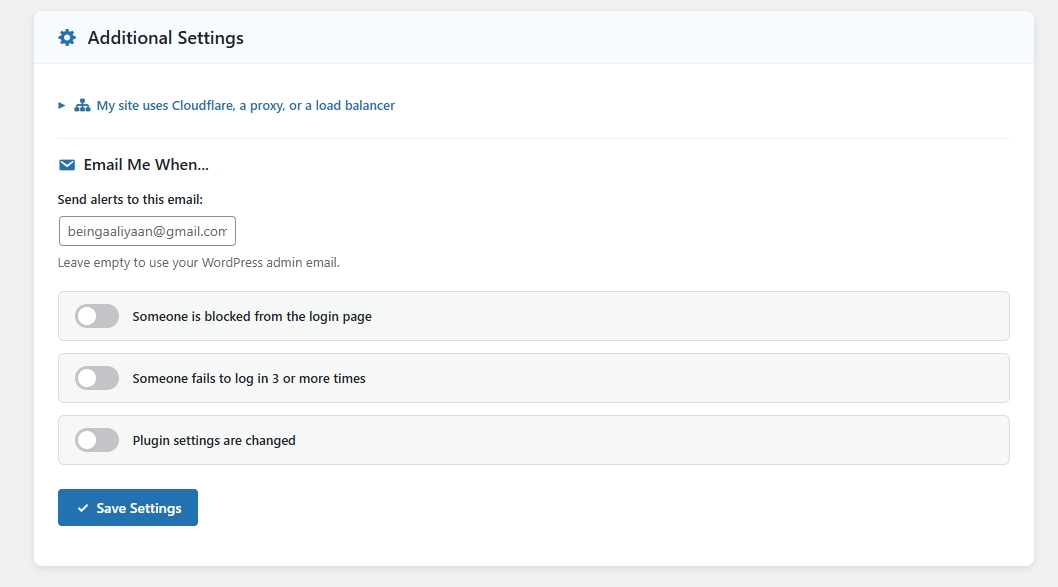
Preguntas frecuentes
-
How do I change the admin URL?
-
After activating the plugin, go to MaskMyAdmin in the admin menu and enter your desired login slug (e.g.,
my-login). Your admin URL will becomeyourdomain.com/my-login. -
What happens to wp-login.php and wp-admin?
-
Both
wp-login.phpand/wp-adminaccess will redirect to the homepage or a custom URL (configurable), effectively hiding them from bots or attackers. -
How do I enable IP whitelisting?
-
Under the plugin settings (Advanced Security tab), you can enable IP whitelisting and enter allowed IP addresses. Only visitors from these IPs will be able to access the login page.
-
I’m behind Cloudflare / a proxy. How do I get the correct IP?
-
Go to Advanced Security Proxy / CDN Configuration and select the appropriate header for your setup (e.g., “Cloudflare” for CF-Connecting-IP).
-
What if I get locked out?
-
You have several recovery options:
- WP-CLI: Run
wp maskmy disableto disable all protections - wp-config.php: Add
define('MASKMY_DISABLE', true);to bypass the plugin entirely - FTP: Rename the plugin folder via FTP or your hosting File Manager
- WP-CLI: Run
-
Does this work with Nginx?
-
Yes. The plugin uses PHP for all URL masking and IP enforcement, which works on any server. The .htaccess rules are an additional layer for Apache servers only.
-
How long are activity logs kept?
-
Log entries older than 30 days are automatically cleaned up daily via WP-Cron.
-
What WP-CLI commands are available?
-
MaskMyAdmin registers the
wp maskmycommand namespace with the following subcommands:wp maskmy status— Show current configuration (login slug, redirect mode, IP whitelist status, allowed IPs, proxy header)wp maskmy reset— Reset the login URL back to the WordPress default (wp-login.php)wp maskmy add-ip <ip>— Add an IP address or CIDR range to the whitelist (e.g.,wp maskmy add-ip 192.168.1.100orwp maskmy add-ip 10.0.0.0/24)wp maskmy remove-ip <ip>— Remove an IP address or CIDR range from the whitelist (auto-disables whitelist if the list becomes empty)wp maskmy disable— Disable all protections immediately (resets login slug, redirect, and IP whitelist — useful for emergency recovery)wp maskmy enable --slug=<slug>— Re-enable protections with a custom login slug (e.g.,wp maskmy enable --slug=my-login). If--slugis omitted, re-enables with the previously saved slug.
Reseñas
No hay reseñas para este plugin.
Colaboradores y desarrolladores
Este software es de código abierto. Las siguientes personas han contribuido a este plugin.
Colaboradores
Traduce “Mask My Admin – WordPress Login Security & URL Protection” a tu idioma.
¿Interesado en el desarrollo?
Revisa el código, echa un vistazo al repositorio SVN o suscríbete al registro de desarrollo por RSS.
Registro de cambios
1.2.0
- Security: Removed debug backdoor file (debug-mma.php)
- Security: Fixed IP spoofing vulnerability — IP detection now uses REMOTE_ADDR by default with configurable trusted proxy headers
- Security: Disabled broken 2FA feature (hardcoded bypass codes removed)
- Security: Fixed unescaped output throughout the plugin
- Security: Replaced unsafe header() redirects with wp_redirect() / wp_safe_redirect()
- Security: Sanitized all $_SERVER values
- New: Activity log — tracks login attempts and settings changes
- New: Email notifications — configurable alerts for blocks, failed logins, and settings changes
- New: WP-CLI commands —
wp maskmy status,reset,add-ip,remove-ip,disable,enable - New: Emergency recovery constant —
define('MASKMY_DISABLE', true)in wp-config.php - New: Progressive brute-force lockout (5 attempts = 15 min, 10 = 1 hour, 20 = 24 hours)
- New: Proxy/CDN configuration UI for accurate IP detection behind load balancers
- New: Clean uninstall — removes all options, tables, transients, and .htaccess rules
- Fix: Admin JavaScript now properly enqueued (was never loaded before)
- Fix: Setup wizard form now actually submits (added form tag, name attribute, submit button type)
- Fix: Fixed broken HTML structure in dashboard (nested cards, stray form tags)
- Fix: Removed external Font Awesome CDN dependency — uses built-in Dashicons
- Fix: Removed all inline script blocks — moved to properly enqueued admin.js
- Fix: Removed dead/orphaned code (unused functions, unreachable files)
- Fix: Htaccess_Manager now uses Singleton pattern consistently
- Fix: Secured backup directory with randomized name and Apache 2.2+2.4 compatible rules
- Improvement: Centralized IP utility class replacing duplicate code
- Improvement: Consistent WordPress Coding Standards throughout
1.1.0
- Added option to redirect blocked IPs to homepage or custom URL
- Improved compatibility with latest WordPress core
1.0.0
- Initial release with custom login URL and IP whitelist functionality