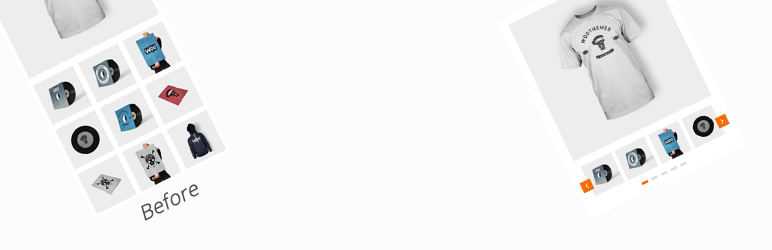

Descripción
Product gallery slider for WooCommerce adds a responsive and customizable image slider to your WooCommerce product gallery.
Showcase multiple images, including variation images, in a beautiful carousel that enhances the shopping experience, keeps customers engaged, and increases conversions.
Easy to use, mobile-friendly, and designed to boost your WooCommerce store’s visual appeal and sales.
Live Demo | Support | Upgrade To Pro »
Are you interested in enhancing your product page design to increase sales? Have you possibly overloaded your page with too many product images? 🤔
If you’re looking to enhance your WooCommerce store, the Product Gallery Slider plugin is an excellent solution. With this plugin, you can easily transform the default product gallery into an attractive slider on your product page. Displaying your product and additional variation images in a sleek slider style can help attract more customer attention and increase sales instantly. 💻📈
This plugin is incredibly user-friendly and easy to install, offering a wide range of customization options to help you create the perfect product gallery slider that meets your specific needs. You can customize the slider speed, transition effects, and more to create a unique and engaging product gallery that stands out. 🎨
Furthermore, the plugin is fully responsive, which means it works perfectly on any device, be it a desktop, tablet, or smartphone. This ensures that your customers can view your product gallery slider from anywhere, at any time. 📱🌍
Overall, the Product Gallery Slider plugin is an excellent plugin for any WooCommerce store owner looking to enhance their product gallery and increase sales. 👍
📌 Unlimited Additional Variation Images
In WooCommerce, the default behavior allows for only one image to be inserted per product variation. Unfortunately, there is no built-in option to add multiple variation images. This limitation can be problematic when there is a need to display additional product images to enhance sales and provide a comprehensive visual representation.
Introducing Product Gallery Slider, a powerful plugin that offers the ability to insert an unlimited number of additional images for each product variation. By utilizing this plugin, you can provide an enhanced browsing experience to potential customers. They will be able to view different sets of images when switching between product variations, such as color, style, and size, all at the same time. This feature-rich functionality empowers you to showcase your products more effectively, captivating customers and boosting sales. 🚀
📱 Responsive ready
These days more and more people are using mobile phones to scroll E-commerce sites to check and order their products. Thus, mobile-enabled and optimized E-commerce sites remain one step ahead of others.
Luckily, the WooCommerce product gallery slider is also compatible with tablets and mobiles. So, customers get a flawless viewing experience that will surely boost your product sales.
✅ Support Page Builders for Custom Single product page
WooCommerce product gallery slider has a wide range of supportability for the most popular page builders. You can efficiently work with Divi, Beaver Builder, WP Bakery Builder, Elementor Pro & others.
🔥 Key Features
- Responsive Layout
- Navigation support
- Slider AutoPlay Options
- Gallery Layout [Horizontal Slider]
- Unlimited Images can be added for each product variation
- Thumbnails item to Show
- Infinite loop option
- Slide Adaptive Height
- Mouse Dragging option
- On/Off LightBox Setting for Thumbnails images
- On/Off Setting for WooCommerce image zoom
- On/Off Setting for Lightbox image caption
- Custom Image Size option for gallery
- Custom CSS option for override
- Listo para Shortcode [Fácil de utilizar con cualquier Page Builder personalizado]
- Support Elementor, Divi and Visual Composer page builder
- Working with Most Premium themes
- RTL support
🌟 Pro Version Features 🌟
- All Free features
- Gallery Layout [Vertical(left, right) and Horizontal Silder]
- LightBox For Thumbnails option
- On/Off LightBox Setting for Thumbnails images
- Support Video for Gallery (YouTube, Vimeo, and Self-Hosted video)
- Opción para esconder las miniaturas
- Slider Image Caption
- Animation for Navigation Arrow
- Full Lightbox Control
- Lightbox Thumbnails Position
- Lightbox Thumbnail Autostart
- Lightbox Open/Close Animation Effect
- Lightbox image slide Animation Effect
- Advanced Zoom Options
Live Demo | Support | Upgrade To Pro »
🌟 See what a few WooCommerce store owners are saying about Product Gallery Slider for WooCommerce:
“Great plugin and been using it for a long now. Still great!”.
– vlavur“Nice plugin – does exactly what you expect; the support is even better!”.
– vanbrel“Used the plugin and does exactly what I need and when I had an issue the guys response and solution was quick and swift”.
– theonlytjn“An awesome plugin which request a smaller amount of time and effort to get the output, can be recommended for professional ecommerce sites”.
– sabari1992
🔥 WHAT’S NEXT
If you like this product gallery plugin, then consider checking out our other free plugins:
Deposits for WooCommerce – Allowed customers to pay for products using a fixed or percentage amount of the product.
WooCommerce Wishlist – Enhance your e-commerce store’s functionality with WooCommerce Wishlist – the ultimate tool that adds a powerful and lightweight wishlist feature.
Capturas
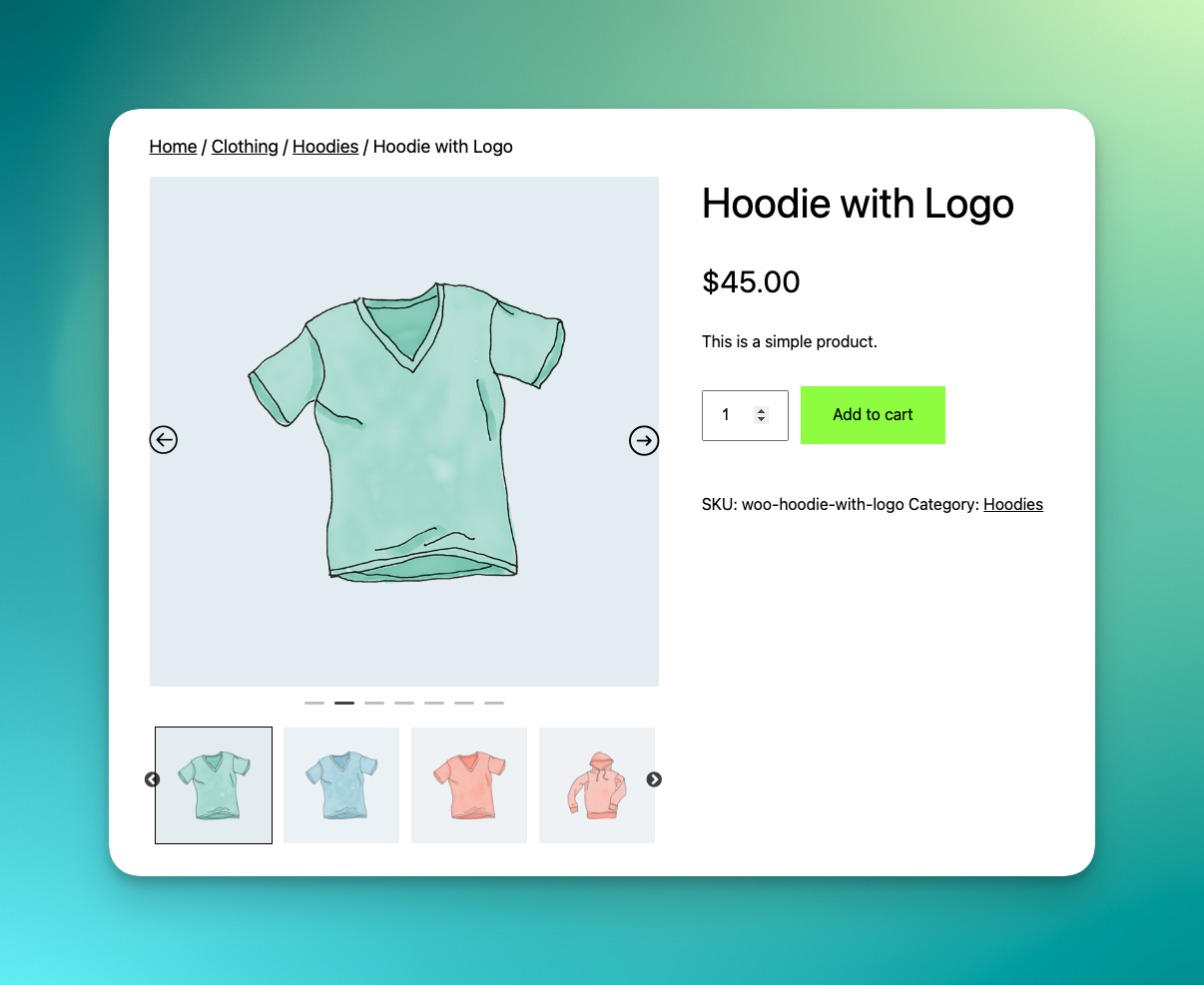
Carrusel de imágenes de producto 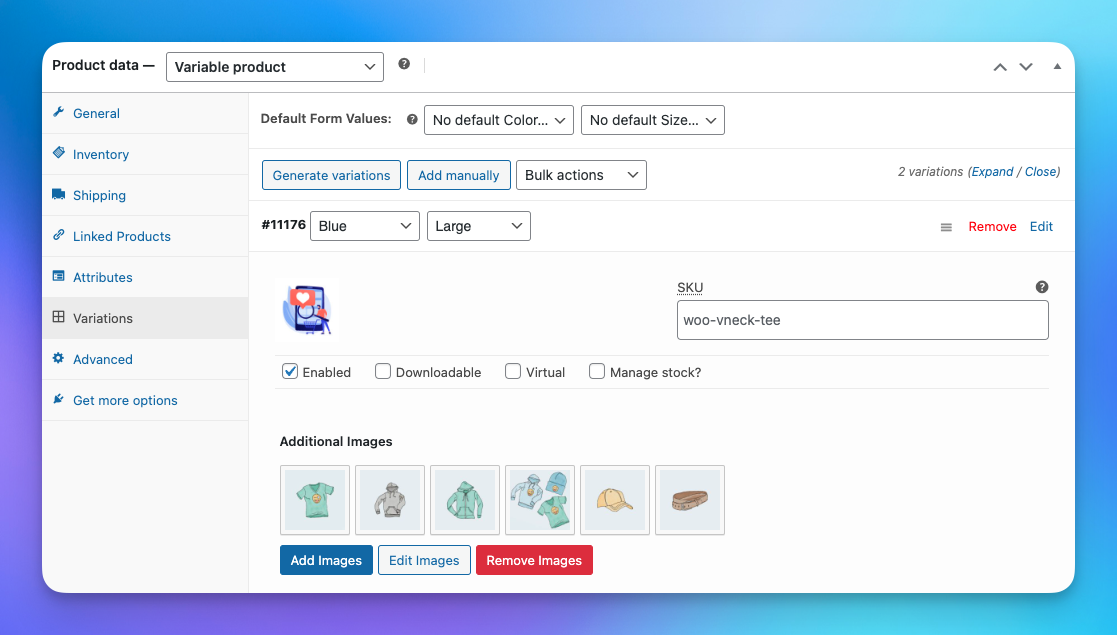
Additional Variation Images 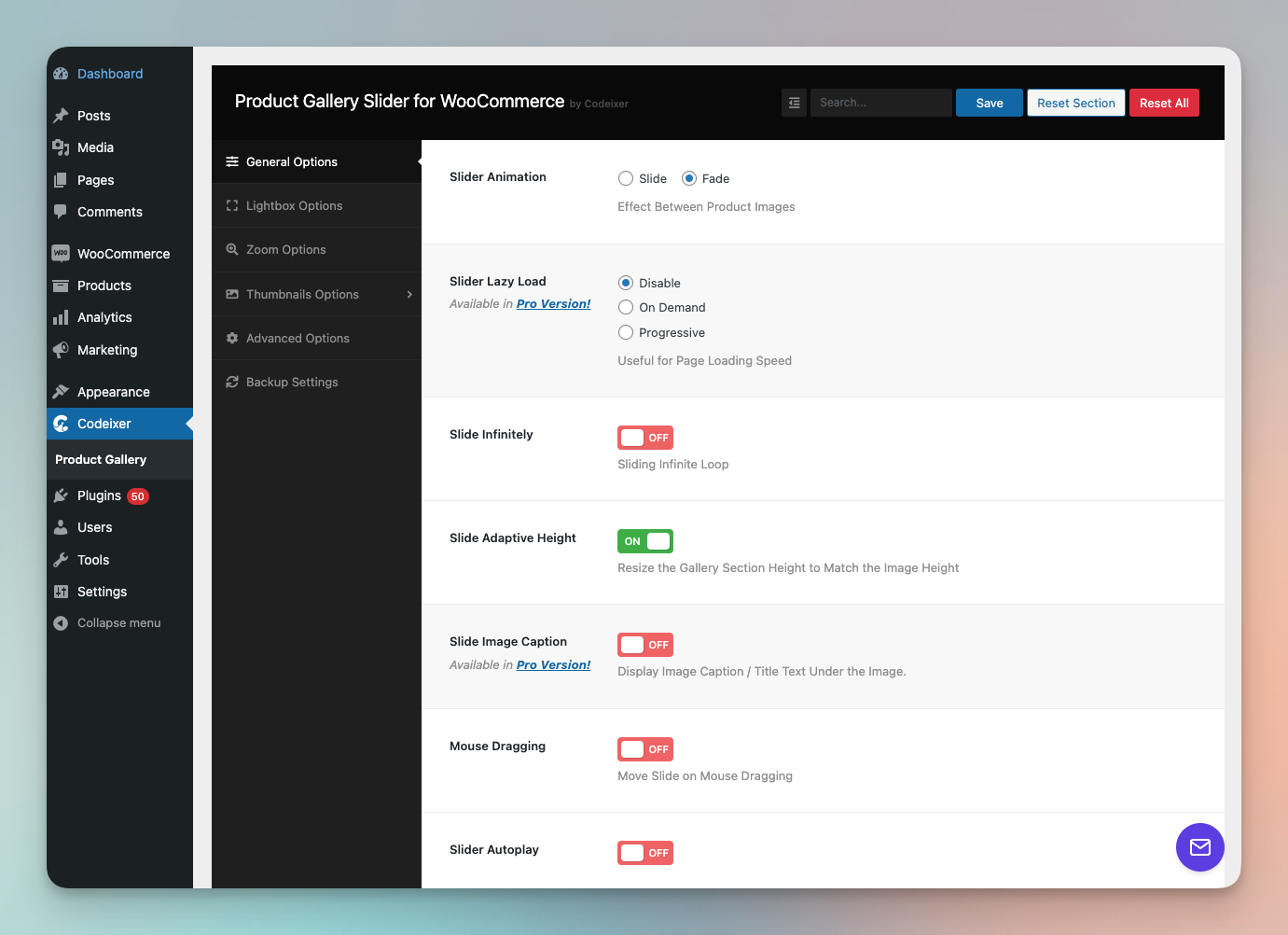
Gallery Settings Page
Instalación
- Upload
woo-product-gallery-sliderfolder to the/wp-content/plugins/directory - Activate the plugin through the ‘Plugins’ menu in WordPress
Preguntas frecuentes
-
How can I use the product gallery slider for WooCommerce with page builders?
-
While using Product Template Builder (Divi,Elementor,Beaver Builder), a shortcode
[product_gallery_slider]is available to enable the gallery slider. -
How to solve duplicate gallery when divi page builder enable?
-
If you are experiencing duplicate galleries on single product pages while using the Divi Builder, a solution is available. You can find a new option in the “Advanced Settings” section that will fix this issue.
-
Is the product gallery slider for WooCommerce plugin compatible with my theme?
-
we’re using this ‘woocommerce_before_single_product_summary’ this hook to override the gallery. if your theme is using the default WooCommerce hook for single-product.php page then this item will work perfectly.
Reseñas


Colaboradores y desarrolladores
Este software es de código abierto. Las siguientes personas han contribuido a este plugin.
Colaboradores

Traduce “Carrusel de imágenes de producto, Additional Variation Images for WooCommerce” a tu idioma.
¿Interesado en el desarrollo?
Revisa el código, echa un vistazo al repositorio SVN o suscríbete al registro de desarrollo por RSS.
Registro de cambios
2.3.23 – 29 May 2026
- Fixed: Thumbnail gallery count issue when there are fewer gallery images report
- Updated: Gallery settings are now visible to roles that can manage WooCommerce
- Fixed: Minor bugs
- Added support for WordPress 7.x
2.3.22 – 30 Oct 25
- Fixed: fatal error
Trying to access array offset on false in product-image.phpreport - Update: New Option under
Advanced Optionsfor Choose when the gallery should load via AJAX. - Support for WooCommerce Version 10.3.x
2.3.21 – 20 May 25
- Fixed: JavaScript error caused by missing gallery images, which previously led to “Add to Cart” failures on certain servers.