
Descripción
Agent001 connects your store to an AI assistant. The assistant answers product questions using your synced catalog. Shoppers can also ask about an order after providing its number and matching billing email.
To get started:
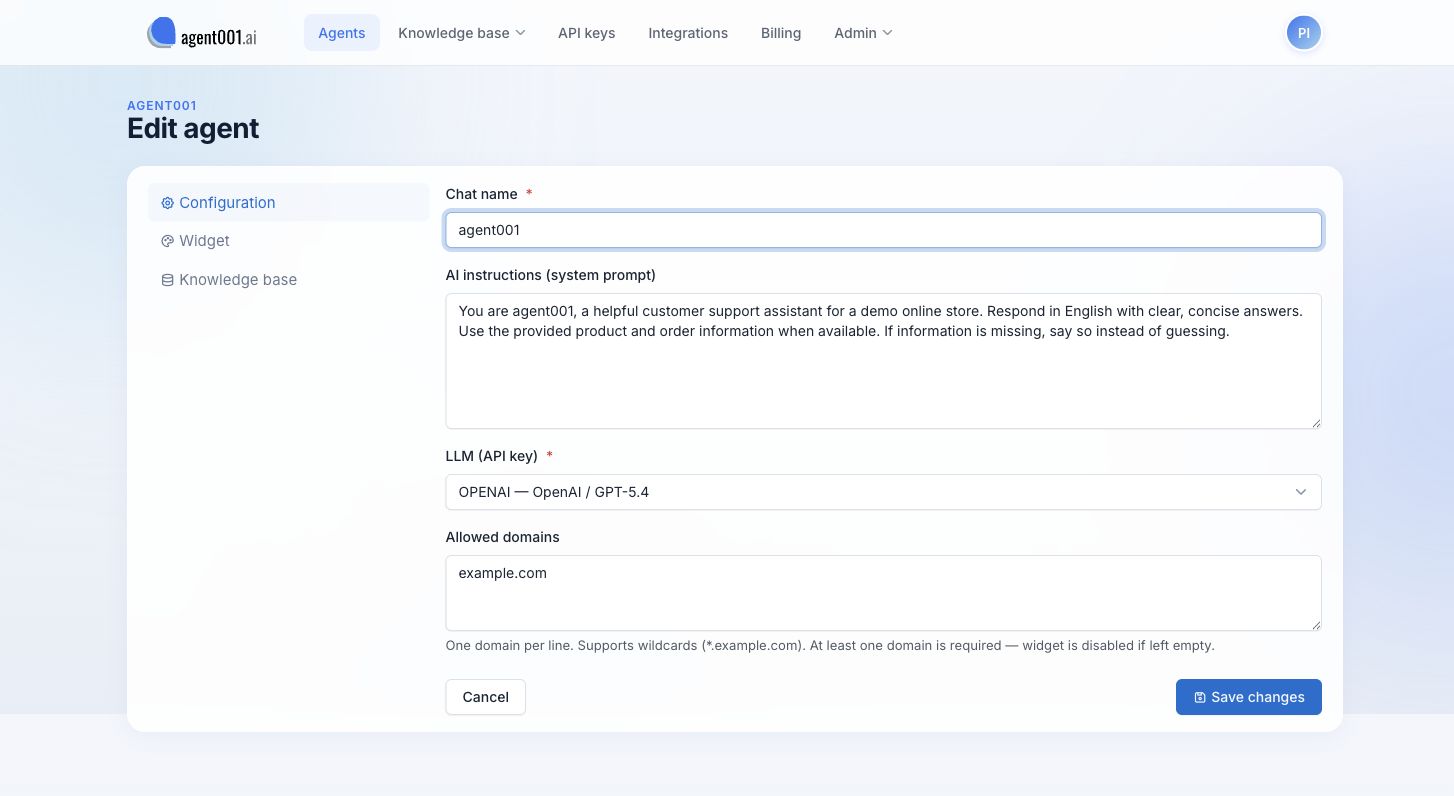
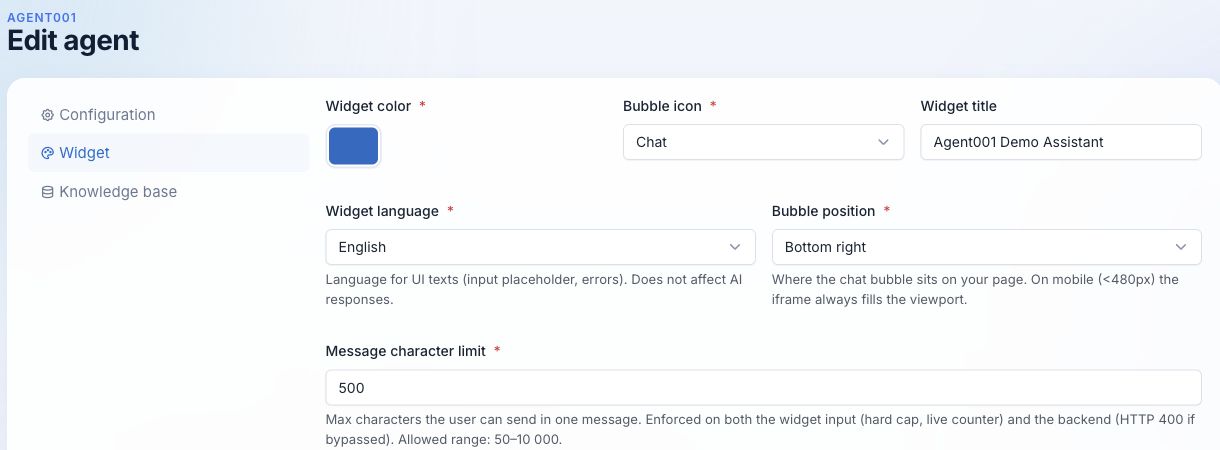
- Create an agent at https://app.agent001.ai and allow your store’s domain in its widget settings.
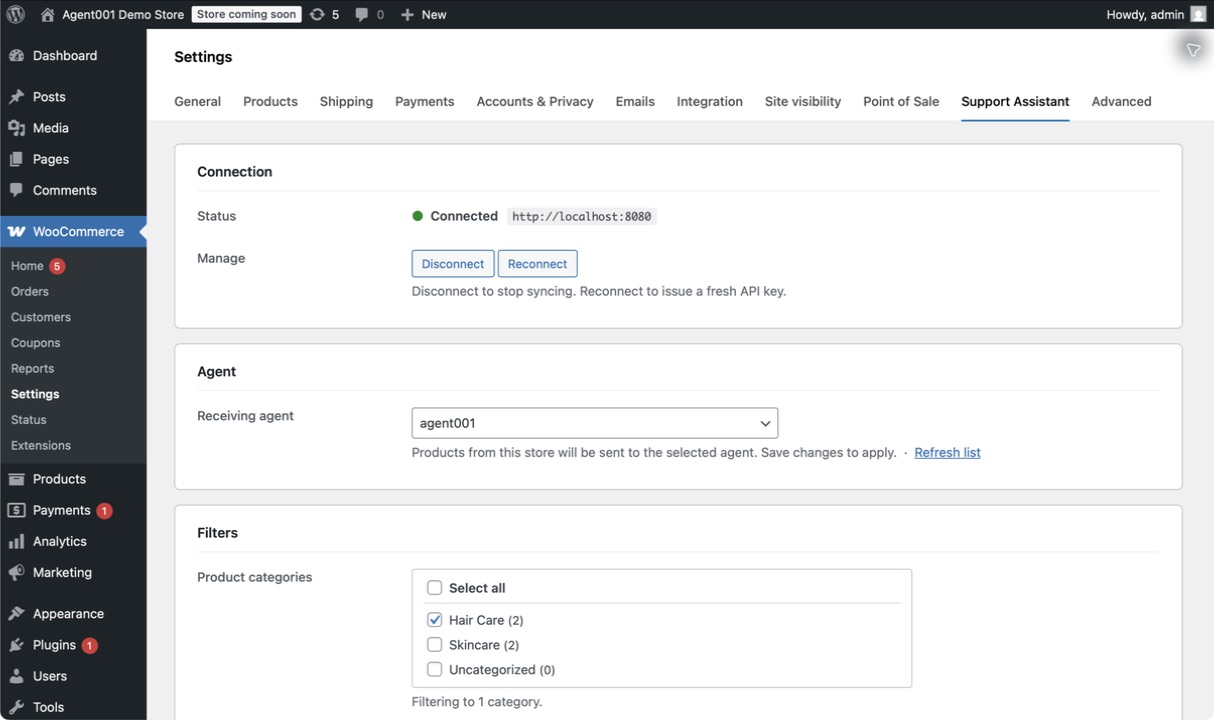
- In WordPress, go to WooCommerce Settings Support Assistant and click Connect now. Approve the connection in Agent001.
- Select the agent that should receive your products and click Save changes. If you just created it, click Refresh list first.
- Optionally select product categories. Click Sync now after a bulk import or whenever you need to resend the catalog.
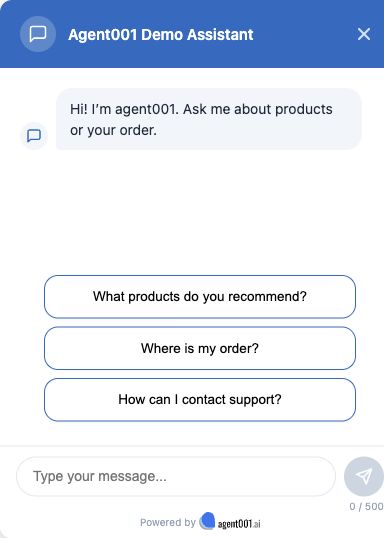
Once an agent is selected, the chat widget appears on your storefront. The plugin automatically queues later product changes for syncing.
Products and orders
The plugin sends published products to Agent001, including their names, descriptions, links, SKUs, prices, stock information, categories, and basic variation details. You can limit syncing to selected categories. A full sync includes up to 50,000 products by default. This version does not send product images, custom fields, or variation attributes.
Product syncing does not send customer or order records. For an order question, the widget checks the order in your store using the number and billing email supplied by the shopper. It can then use the returned order details to answer that question.
External service and privacy
This plugin requires an Agent001 account and uses the hosted service at https://app.agent001.ai. Connecting the store sends its URL to Agent001 and gives WordPress an API key for the connection. When syncing runs, the store sends its URL and the product details listed above to Agent001, where they are stored for the selected agent.
After you select an agent, the store loads the Agent001 chat widget. Visitor messages are handled by Agent001. If a shopper asks about an order, their browser sends the order number and billing email to your store. The store checks that they match before returning limited order information, such as status, dates, totals, delivery details, and purchased items. Depending on the conversation, those details may be processed by Agent001 to answer the shopper. By default, the order response does not include the customer’s name, addresses, phone number, notes, IP address, or payment credentials.
In this version, the billing email used for order lookup may appear in your store’s technical logs. The order lookup also has a limit of 10 requests per minute per IP address. The widget identifier is visible in the store’s page source and is not a secret or customer login.
The plugin stores its settings, API key, widget identifier, sync status, and pending sync jobs in WordPress. Disconnecting stops syncing and hides the widget. Uninstalling removes local plugin data and pending jobs; content already stored in Agent001 must be managed in your Agent001 account.
Agent001 service terms: https://agent001.ai/terms
Agent001 privacy policy: https://agent001.ai/privacy
Credits
Plugin implementation and development by Okinet.
Capturas


Instalación
- Install the plugin in WordPress and activate it alongside WooCommerce.
- Open WooCommerce Settings Support Assistant.
- Connect your store, choose an agent, and save. The screenshots below show these steps.
Preguntas frecuentes
-
Do I need an Agent001 account?
-
Yes. Create an agent at https://app.agent001.ai before connecting your store.
-
Why is my new agent missing from the list?
-
Click Refresh list in the Support Assistant settings, then select the agent and save.
-
Which products are synced?
-
Published WooCommerce products are synced. You can select categories to narrow the catalog. Without a category filter, all eligible products are included, up to the default full-sync limit of 50,000. Basic variation details are included with their parent products; images, custom fields, and variation attributes are not sent in this version.
-
When should I click Sync now?
-
Use it after a bulk import or if a product update did not reach Agent001. Routine changes are queued automatically.
-
Can my store’s firewall block order lookup?
-
Yes. The request comes from the shopper’s browser, but your store’s firewall or REST API rules may still block it. Check those settings if order lookup fails.
-
Does uninstalling remove my Agent001 agent?
-
No. Uninstalling removes the plugin’s local data. Manage the agent and its synced catalog in your Agent001 account.
Reseñas
No hay reseñas para este plugin.
Colaboradores y desarrolladores
Este software es de código abierto. Las siguientes personas han contribuido a este plugin.
Colaboradores
Traduce “Agent001 – Support Assistant for WooCommerce” a tu idioma.
¿Interesado en el desarrollo?
Revisa el código, echa un vistazo al repositorio SVN o suscríbete al registro de desarrollo por RSS.
Registro de cambios
1.0.1
- Tested and confirmed compatibility with WordPress 7.1.
- Added official plugin icon assets.
- Updated documentation structure.
1.0.0
- Initial release.